
Columnar in-memory cache for AI inference
A faster Redis replacement, optimized for batch zero-copy reads and writes.




What is Murr
A caching layer for ML/AI data serving that sits between your batch data pipelines and inference apps.
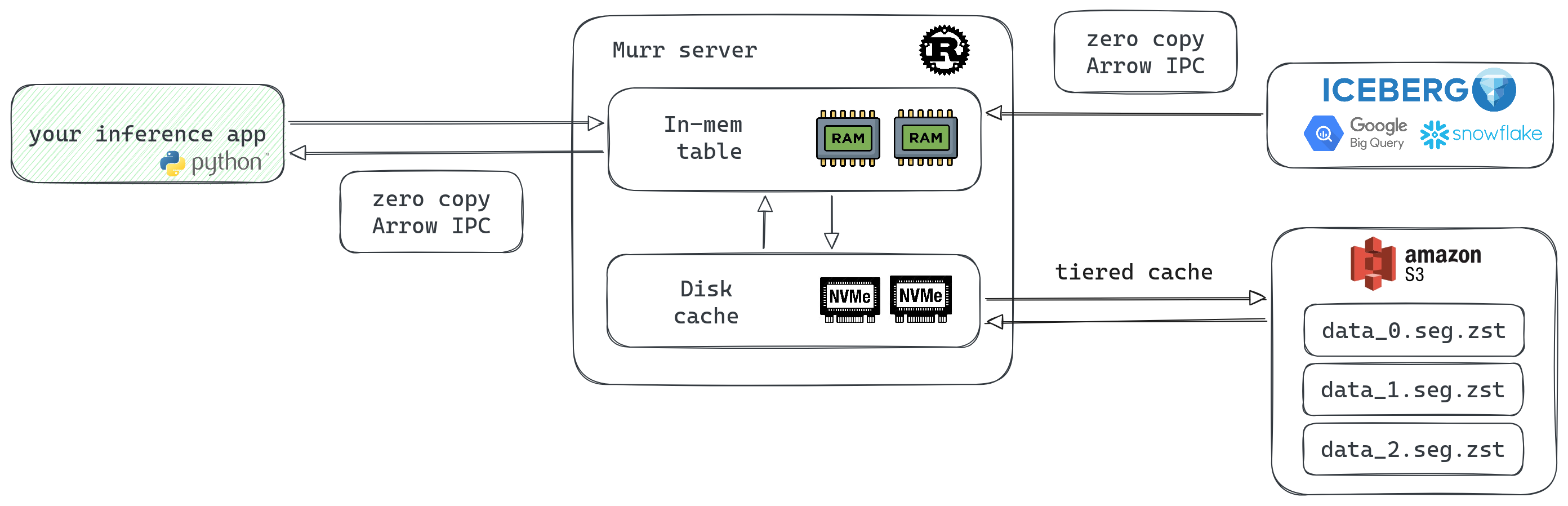
Hot data in memory, cold data on disk. S3-based replication. RAM is expensive — keep only the hot stuff there.
Native batch reads and writes over columnar storage. Dumping a 1GB Parquet file into the API is a valid use case.
No conversion needed when building np.ndarray, pd.DataFrame, or pt.Tensor from API responses.
All state lives on S3. When a node restarts, it self-bootstraps from block storage. No replication drama.
Why Murr
Latency, simplicity, cost - pick two. Murr tries to nail all three.
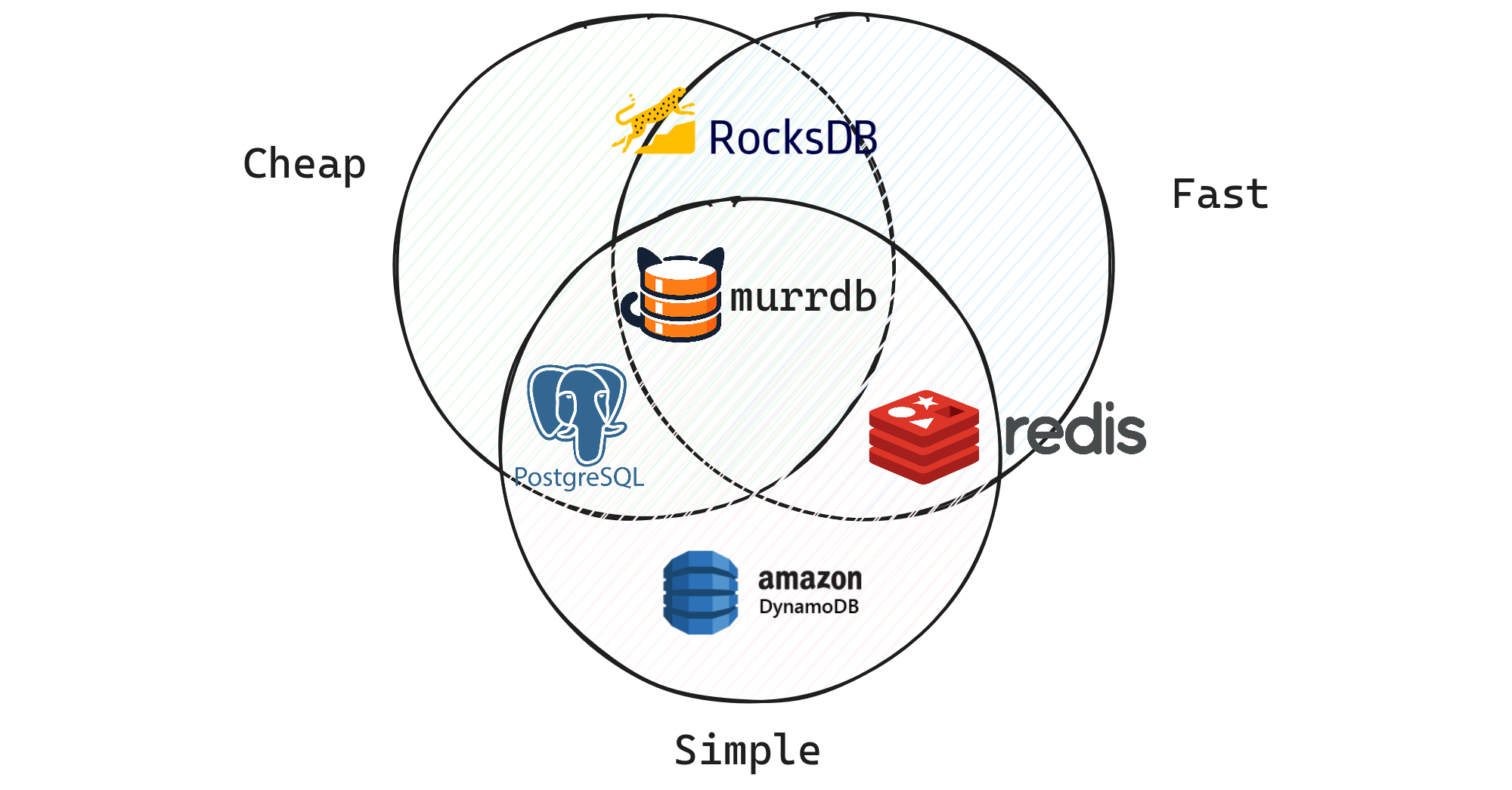
Persistent. S3 is the new filesystem. Offloads cold data to local NVMe instead of burning RAM.
No need to build data sync yourself. Distributed from day one, stateless by design.
Roughly 10x cheaper. You pay for CPU/RAM, not per query.
Zero-copy wire protocol, no parsing overhead. Build np.ndarray or pd.DataFrame directly from the response.
Benchmarks
ML ranking workload: 1000 documents × 10 float32 columns, random keys, 10M row dataset.
| Approach | Latency | 95% CI | Throughput |
|---|---|---|---|
| Murr (HTTP + Arrow IPC) | 104 µs | [103—104 µs] | 9.63 Mkeys/s |
| Murr (Flight gRPC) | 105 µs | [104—105 µs] | 9.53 Mkeys/s |
| Redis MGET (feature blobs) | 263 µs | [262—264 µs] | 3.80 Mkeys/s |
| Redis Feast (HSET per row) | 3.80 ms | [3.76—3.89 ms] | 263 Kkeys/s |
~2.5x faster than the best Redis layout, ~36x faster than Feast-style storage. Last-byte latency measured.
Methodology detailsTry it
from murr.sync import Murr

db = Murr.start_local(cache_dir="/tmp/murr")

# fetch columns for a batch of document keys
result = db.read("docs",
    keys=["doc_1", "doc_3", "doc_5"],
    columns=["score", "category"]
)
print(result.to_pandas())  # zero copy!

#    score category
# 0   0.95       ml
# 1   0.72    infra
# 2   0.68      ops